

VU Player Installation Guide
VU Player is the perfect match for Apple TV and iOS users looking for a hassle-free streaming experience and easy installation. With support for MAC address access and a simple setup process, VU Player provides a smooth and reliable way to enjoy IPTV content without complications.
Below, you will find a complete step-by-step installation guide to help you get started quickly and configure VU Player on your device with ease.
Step 1: Start by downloading Vu Player Pro through this URL : https://vuplayer.pro
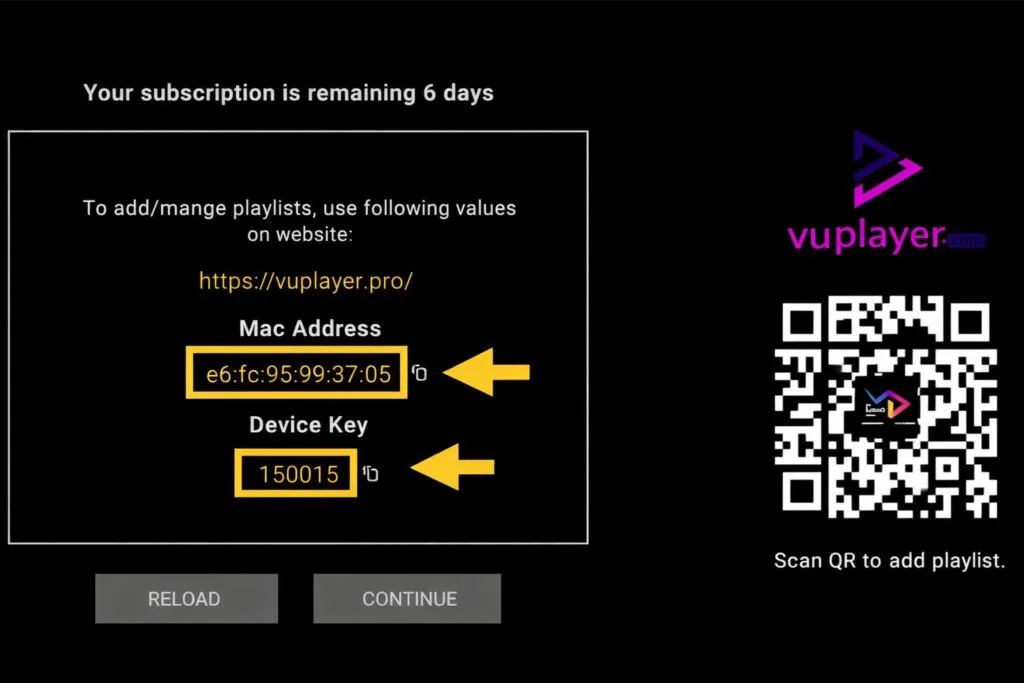
Step 2: Open the app once downloaded and copy mac address and device key :
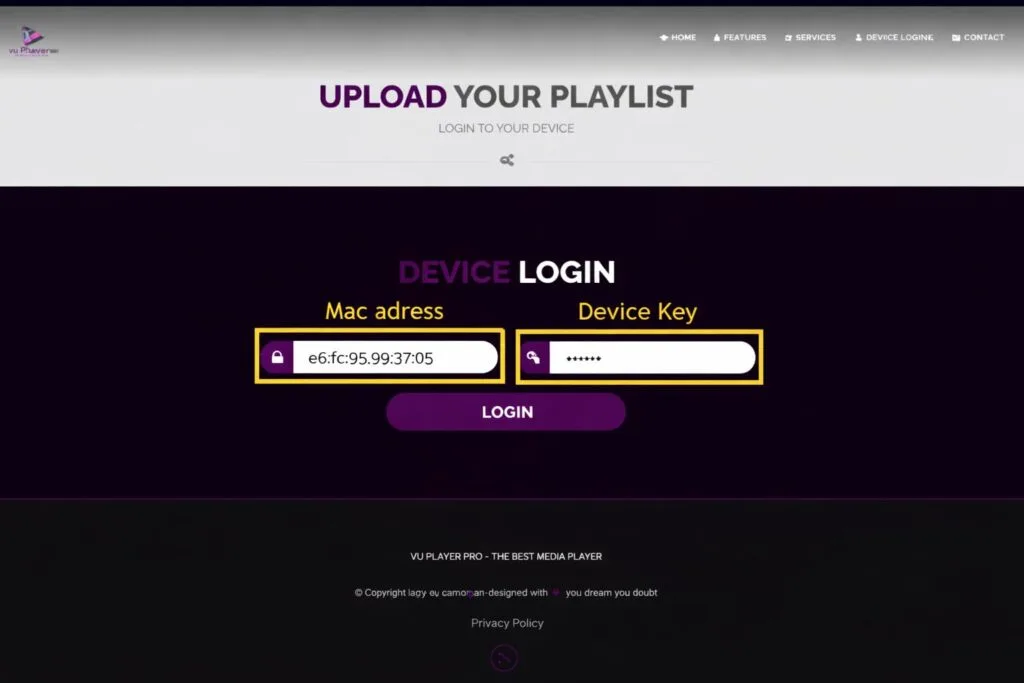
click on the link https://vuplayer.pro/login and insert mac adress and device key :
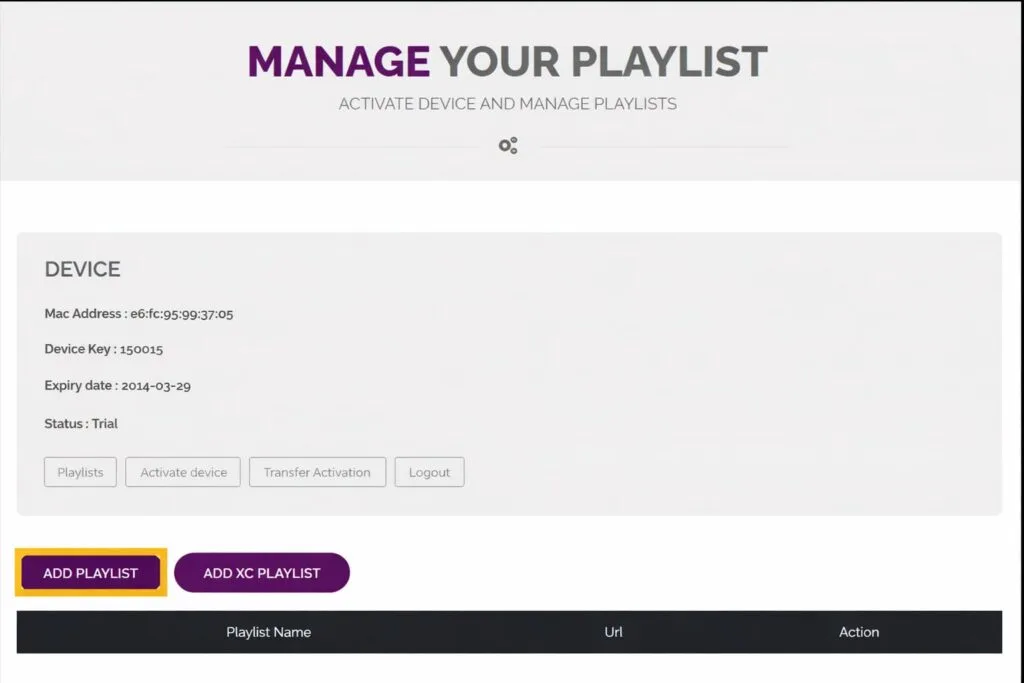
Click Add Playlist
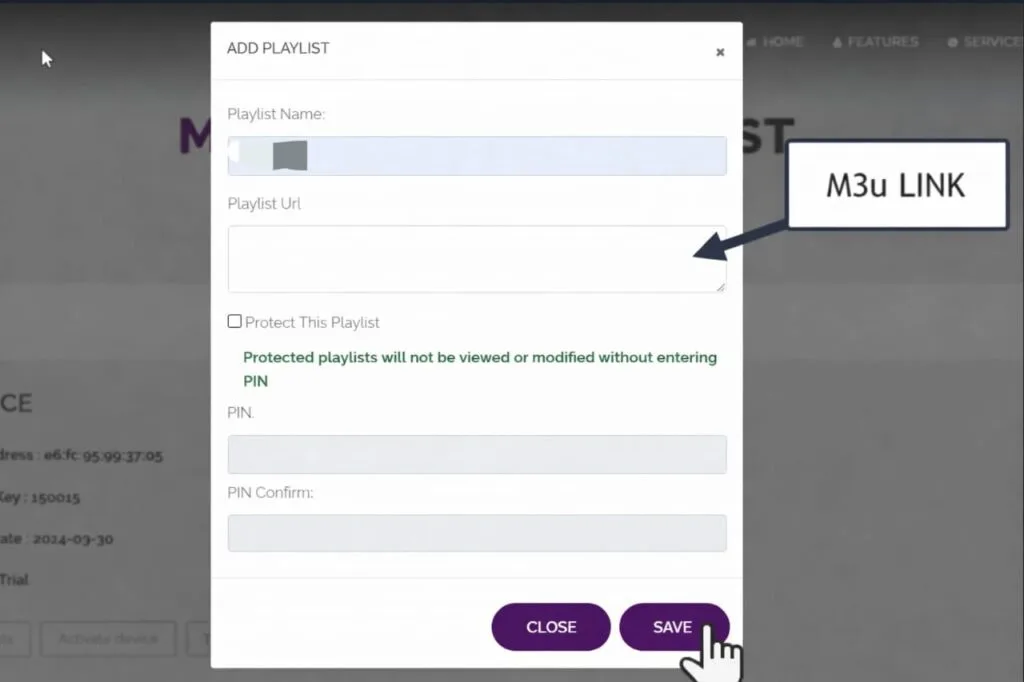
insert M3U link provided by your IPTV Provider and click Save :
return to the app and click reload
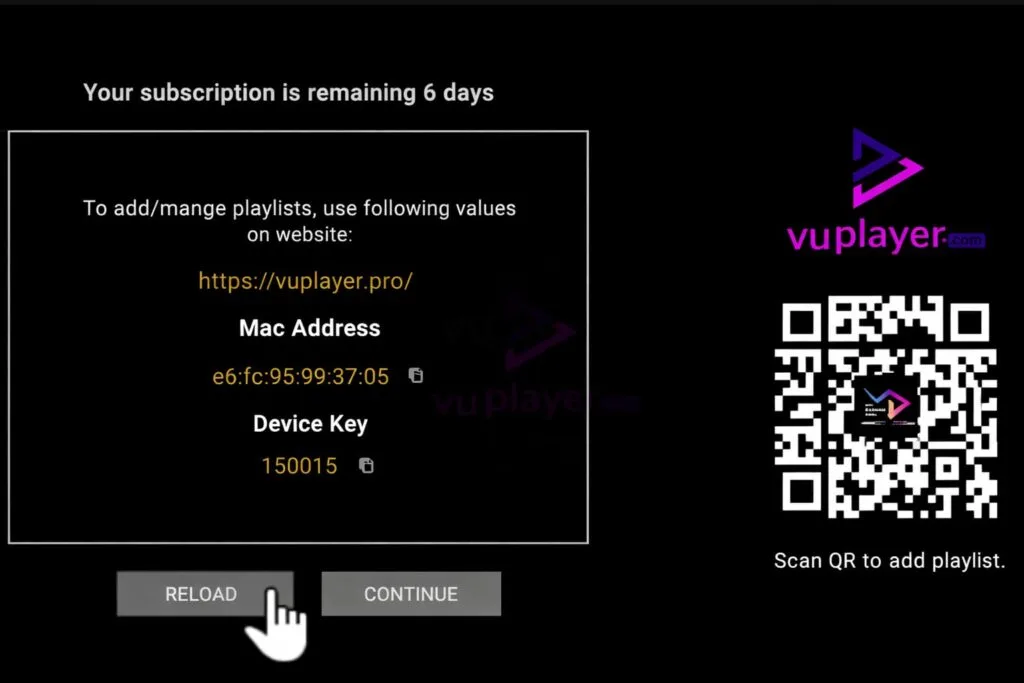
Click continue , and enjoy your stream.
VU Player offers a trial period of 6 days , after that it requires a paid activation that costs 7 euro per year.
Thank you for reading , for more IPTV info and guides check our blog page , click here.
🌐 About Our Website
This guide is provided by 4KStreamGO, a platform focused on delivering high-quality IPTV solutions with simple setup and reliable performance. Our goal is to make streaming accessible for everyone by offering easy-to-follow installation guides, compatible IPTV players, and stable subscription options for different devices including Smart TVs, Android, iOS, and Apple TV.
If you’re looking for a smooth and hassle-free IPTV experience, you can explore our available packages and get started in just a few minutes.
For more information about our offers and packages , check our pricing table to choose the best subscription and enjoy your stream today.
Greeting from 4KStreamGO Team .